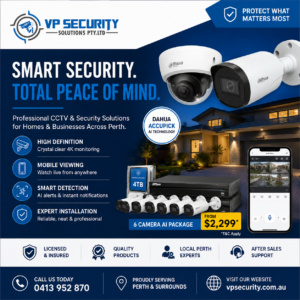
Buying a security system is about far more than picking a few cameras and dotting them around a building. A genuinely complete package pulls together the equipment, recording, monitoring, access control and support needed to protect the areas that actually matter.
For homeowners and businesses weighing up cctv packages perth, the smartest habit is to look past the advertised camera count. Two packages might both boast six cameras yet differ wildly in image quality, storage, installation standard, remote access and room to grow.
Knowing what should be included makes it far easier to compare quotes fairly — and to end up with a setup that fits your property rather than whichever bundle happened to be cheapest.
Cameras Matched to the Property
Cameras are the most visible part of any package, but numbers alone don’t decide whether you get useful coverage. A well-planned package considers where each camera sits and what it’s meant to watch.
Typical positions include front entrances, driveways, side access, garages and rear doors for homes — and car parks, reception areas, loading zones and stock rooms for businesses.
Different spots call for different camera types and angles. A camera sweeping a broad outdoor area is doing a very different job from one trained on a doorway. The package should be shaped around the site, not built on the assumption that every camera plays the same role.
A Recorder That Fits
Every complete package needs a recording system — usually an NVR or a compatible recorder, depending on the equipment. The recorder governs how cameras connect, how footage is stored and how you review it later.
Before buying, check:
- How many channels the recorder supports, and how many are already in use
- Whether more cameras can be added down the track
- The recording resolution it handles
- Whether remote viewing is available
- How footage is searched and exported
Choosing a recorder with a little spare capacity is worthwhile if the property might need more cameras later.
Enough Storage to Be Useful
Storage is one of the easiest specs to overlook — and one of the most important. Footage usually lives on a hard drive, and how long you can keep it depends on camera count, resolution, frame rate, recording quality, whether recording is continuous or event-based, and drive size.
Ask roughly how many days of footage the proposed setup will retain. Brilliant cameras paired with a tiny retention window can leave you empty-handed exactly when you need the clip. Businesses often have very different storage needs from homes, so there’s no single drive size that suits every job.
Professional Placement
Even top-grade equipment disappoints when it’s installed carelessly. Proper installation plans around viewing angles, camera height, lighting, blind spots, cable routes, obstructions, weather exposure and night-time conditions.
The most useful mindset shift is small but powerful: instead of asking “where can we mount this camera?”, ask “what do we need this camera to see?” That single change tends to produce far more valuable coverage.
Mobile and Remote Viewing
Remote access has become a near-essential feature for homeowners and business operators alike. A good package lets authorised users check live feeds and recordings from a phone, tablet or computer — handy for keeping an eye on the property while away, watching premises after hours, confirming deliveries or reviewing an alert.
Installation should include proper configuration and a quick walkthrough so you actually know how to use it, along with strong passwords and sensible user access from day one.
An Alarm for an Extra Layer
CCTV gives you visual monitoring and a recorded history, but many properties benefit from pairing cameras with an alarm. An alarm adds a second line of defence, detecting activity through compatible sensors and pushing notifications depending on how it’s set up.
Owners looking at ajax alarm systems perth might consider door and window sensors, motion detection, sirens, keypads, mobile alerts and compatible automation features. The right mix depends entirely on the property — a small home and a large commercial site have very different needs. The goal isn’t to cram in as many devices as possible, but to build complementary layers that work together.
Video Intercom and Door Communication
Another strong addition to a complete package is an intercom. Where CCTV lets you observe, an intercom lets you actually communicate with someone at an entrance before granting access.
Modern intercom systems perth suit houses, apartments, offices, commercial buildings and controlled-entry points. Depending on the system, you might get video and audio communication, indoor monitors, mobile connectivity, gate or door integration and visitor identification. For any property where managing who comes in matters, an intercom complements CCTV rather than duplicating it.
Cabling, Power and Network Setup
A package price should make clear whether the installation essentials are covered — data cabling, camera mounting, power, network connections, recorder installation, cable termination, and testing and configuration.
Poor cabling causes reliability headaches even when the cameras themselves are excellent. Before accepting a quote, confirm whether normal materials and labour are included, or whether difficult access, awkward cable runs or extra work might attract additional charges.
Night-Time Coverage
A package should be judged after dark as much as in daylight. Entrances, driveways, car parks and boundaries can look completely different once natural light fades.
When planning, factor in existing outdoor lighting, dark corners, vehicle headlights, street lighting, reflective surfaces and the distance between each camera and its target. Not every camera performs identically in low light, so the installer should match both the camera and its position to the environment it’ll actually work in.
Room to Grow
Security needs rarely stay still. A homeowner might later add a shed, garage or gate; a business might extend its warehouse or open another entrance. Ask whether the package can take on more cameras, extra storage, alarm sensors, intercom equipment or other compatible devices. Planning for growth upfront is usually cheaper than replacing a recorder or major component later.
Warranty and After-Sales Support
A complete package shouldn’t end the moment the installer drives off. Ask what support is available if you later need help with camera settings, playback, remote viewing, passwords, adding a new phone, exporting footage or dealing with a fault — and check the warranties covering both hardware and installation. Clear after-sales support matters enormously, especially for business systems relied on every single day.
Handover and Training
Before an install is truly finished, you should know how to run the system. A good handover walks you through viewing live cameras, selecting individual feeds, searching recordings by date and time, exporting important clips, using the mobile app, managing users, arming or disarming any connected alarm, and operating the intercom. Learning these functions calmly at handover beats scrambling to figure them out mid-incident.
What to Compare Between Packages
When reviewing options, compare the full specification rather than camera numbers and headline price. Look at:
- Camera make, model, resolution and night-time capability
- Recorder specification, storage capacity and available channels
- Installation and cabling
- Remote viewing, warranty and after-sales support
- Upgrade options
That gives you a genuinely clear picture of what you’re paying for.
Final Thoughts
A complete security package should be designed as one system, not assembled as a pile of separate products. Cameras provide visibility, the recorder stores footage, alarms detect activity and intercoms help you manage visitors and entry points — and professional installation ties it all together around your property’s layout and risks.
Before you choose, focus on coverage, storage, night-time performance, remote access, expansion options and ongoing support. The best package isn’t the one with the highest camera count. It’s the one where every component has a clear purpose and works together to create a practical, manageable security solution for your home or business.