Introduction
Are you planning to migrate your Zimbra mailbox data to Microsoft Outlook? Whether you are changing email platforms, creating a local backup, or moving business communications to an Outlook environment, converting Zimbra data into PST format can make the process easier.
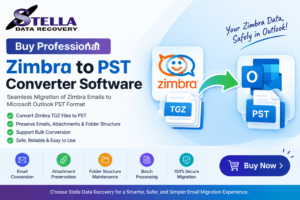
A Zimbra to PST Converter Full Version is a software solution designed to convert supported Zimbra mailbox data into Outlook-compatible PST files. It can be useful for individuals, IT administrators, and organizations that need to manage email migration while maintaining access to important mailbox information.
Zimbra and Microsoft Outlook use different data formats. Zimbra mailbox exports may be available as TGZ archives, while Outlook commonly uses PST files for storing mailbox data. Because these formats are different, a suitable conversion process may be required before the data can be accessed in Outlook.
This article explains what a full-version Zimbra to PST converter is, which features to evaluate, how the conversion process works, and how to choose a reliable migration solution.
What Is Zimbra to PST Converter Full Version?
A Zimbra to PST Converter Full Version refers to a licensed edition of a conversion application intended to export supported Zimbra mailbox data into PST format.
Unlike a limited trial, a licensed edition may provide access to the product’s full set of advertised capabilities, subject to its licence terms. Depending on the software, these capabilities may include bulk conversion, mailbox preview, folder selection, and options for saving converted files.
The purpose is to help users move mailbox information from a supported Zimbra export into a format that can be opened or imported using a compatible Microsoft Outlook version.
Before purchasing, check the vendor’s documentation to confirm which Zimbra export formats and Outlook versions are supported.
Why Convert Zimbra Mailbox Data to PST?
There are several reasons users may need to convert Zimbra data into PST format.
1. Access Emails in Microsoft Outlook
Organizations moving from Zimbra to Microsoft Outlook may need their previous email communications in an Outlook-compatible format. PST files can help make supported mailbox data accessible through Outlook.
2. Create a Local Email Backup
A PST file can serve as a local copy of supported mailbox information. Keeping a separate backup can help users retain access to important emails during platform changes or migration projects.
3. Simplify Email Migration
A conversion workflow can help administrators prepare mailbox data before importing it into an Outlook environment. This is particularly useful when managing multiple mailboxes.
4. Maintain Access to Older Communications
Business emails often contain important attachments, customer conversations, project details, and historical records. Converting supported mailbox data can make these communications easier to access in Outlook.
Key Features to Look for in a Full-Version Zimbra to PST Converter
Not every conversion application provides the same capabilities. Evaluate the following features before choosing a licensed solution.
1. Zimbra TGZ File Support
Many Zimbra mailbox exports are available as TGZ archives. The software should clearly specify whether it supports the particular TGZ export format generated by your Zimbra version and export method.
2. PST Conversion
The primary requirement is the ability to convert supported Zimbra mailbox data into PST format. Check whether the application generates PST files compatible with your intended Outlook environment.
3. Bulk Mailbox Conversion
For organizations handling multiple mailboxes, batch processing can reduce repetitive manual work. Confirm the number of files or mailboxes supported and whether there are file-size or licence restrictions.
4. Folder Structure Preservation
Mailbox folders help users organize business conversations. Check whether the converter maintains supported folder hierarchy during conversion.
5. Email Attachment Handling
Attachments may contain invoices, documents, images, and other business records. Test whether the software converts messages with attachments correctly.
6. Preview and Selective Conversion
A preview option can help users inspect source mailbox data before conversion. Selective conversion may also be useful when only particular folders or emails need to be migrated.
7. Simple User Interface
A straightforward interface can make the migration process easier for non-technical users. Clear file selection, output settings, and conversion status indicators are useful features.
How to Convert Zimbra to PST Using Full-Version Software
The exact procedure depends on the application and the source export format. A typical workflow involves these steps:
Step 1: Export Zimbra Mailbox Data
Use the appropriate Zimbra export option or obtain an existing supported mailbox backup. Preserve the original archive before beginning the conversion.
Step 2: Install the Converter
Install a reputable Zimbra to PST conversion application on a compatible Windows computer. Review its system requirements and licensing conditions.
Step 3: Add the Source File
Launch the application and select the supported Zimbra export file, such as a compatible TGZ archive.
Step 4: Preview Mailbox Data
If preview is available, inspect the mailbox folders and messages. Select the data you want to convert.
Step 5: Choose PST as the Output Format
Select PST as the destination format and configure any available output settings.
Step 6: Start the Conversion
Choose a destination folder with sufficient storage space. Start the conversion and allow the application to complete the process.
Step 7: Open or Import the PST File in Outlook
Use a compatible Outlook version to open or import the resulting PST file. Check the converted mailbox before relying on it for daily work.
Full Version vs. Free Trial: What Is the Difference?
A free trial is generally intended to help users evaluate software before purchasing. A full licensed version may unlock additional functionality or remove trial restrictions, depending on the vendor’s licensing model.
| Comparison | Free Trial | Full Licensed Version |
|---|---|---|
| Product evaluation | Usually available | Available |
| Conversion limits | May apply | Depends on licence |
| Export restrictions | May apply | Depends on product |
| Advanced features | May be restricted | Based on licence |
| Commercial use | Check terms | Check licence terms |
| Technical support | Varies | Varies |
Do not assume that every full version offers unlimited conversions or lifetime updates. Review the actual product licence and feature list before buying.
Benefits of Using Professional Zimbra to PST Conversion Software
A professional converter may provide several practical advantages:
-
Convenient migration: Helps prepare supported Zimbra mailbox data for Outlook.
-
Reduced manual effort: Batch conversion can simplify larger migration projects.
-
Data organization: Folder preservation can make converted mailboxes easier to navigate.
-
Attachment access: Supported attachment conversion helps retain important business documents.
-
Selective processing: Folder or item selection can avoid converting unnecessary data.
-
Local processing options: Desktop applications may allow conversion on a local computer rather than requiring mailbox archives to be uploaded to an online service. Check installation, activation, and internet requirements.
Actual results depend on the source data, application capabilities, and conversion settings.
How to Choose the Best Zimbra to PST Converter Full Version
Before purchasing any software, consider these important points:
-
Format compatibility: Confirm that the tool supports your Zimbra export file.
-
PST output: Verify compatibility with your intended Outlook version.
-
Conversion accuracy: Test emails, attachments, dates, and folder structure.
-
Bulk processing: Check whether multiple mailbox files can be processed.
-
Preview functionality: Prefer tools that allow source data inspection.
-
Security: Understand where your data is processed and whether it is uploaded.
-
Trial availability: Test the software with sample data before purchasing.
-
Licensing and support: Review activation limits, updates, and technical assistance.
Why Consider Stella Data Recovery?
Stella Data Recovery is a software brand associated with data recovery, email conversion, and migration-related solutions. Users evaluating its products should review the relevant product documentation to understand supported Zimbra formats, PST export capabilities, compatibility requirements, and licensing options.
Before using any conversion tool for an important migration, test it with a copy of your mailbox data. Verify the resulting PST in Outlook and confirm that the information you need is accessible.
Frequently Asked Questions
1. What is Zimbra to PST Converter Full Version?
It refers to a licensed conversion application designed to export supported Zimbra mailbox data into Outlook-compatible PST format.
2. Can I convert Zimbra TGZ files to PST?
Yes, provided the conversion application supports the particular TGZ archive and its internal mailbox structure.
3. Is a full version better than a free trial?
A full licensed version may provide additional features or remove trial restrictions. Compare the licence terms and conversion limits before purchasing.
4. Can I convert multiple Zimbra mailboxes at once?
Some applications support batch conversion. Check the product documentation for supported mailbox counts, file sizes, and licence restrictions.
5. Does Zimbra to PST conversion preserve attachments?
Some converters support attachment conversion. Test representative emails and attachments to verify the results before completing a full migration.
6. Do I need Microsoft Outlook installed?
Requirements vary by application and conversion method. Check the software documentation to determine whether Outlook must be installed for conversion, PST access, or importing.
7. Is it safe to convert Zimbra mailbox data?
Use reputable software, preserve the original backup, and understand how the application processes your data. Test the output before deleting or modifying source files.
Conclusion
A Zimbra to PST Converter Full Version can be a useful option for users who need to move supported Zimbra mailbox data into Microsoft Outlook. Features such as TGZ compatibility, PST export, bulk conversion, folder preservation, attachment handling, and preview functionality can make the process more manageable.
The best solution is not necessarily the one with the most advertised features. It is the one that supports your actual Zimbra export format, meets your Outlook requirements, and produces verifiable results.
If you are considering a Zimbra migration solution from Stella Data Recovery, review the product specifications, test the available trial, and confirm compatibility before purchasing. A careful approach helps reduce migration risks and protects important email records.