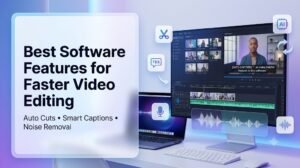
Video editing has become an important part of marketing, education, entertainment, social media, and online business. However, editing a video manually can take a lot of time, especially when you need to cut unwanted sections, write captions, and clean up poor audio. Modern video editing software now offers smart features that can handle many of these tasks automatically. These tools help beginners and experienced creators produce better videos with less effort. From automatic scene detection to AI captions and background noise removal, the right features can make video production faster, easier, and more professional.
For creators who publish videos on websites, choosing the right platform can also improve how their content is presented. A WordPress Video Theme can provide a professional layout for displaying videos, tutorials, interviews, reviews, and other visual content. When this is combined with software that automatically improves the video itself, creators can spend less time on technical editing and more time creating useful content. Whether you run a personal video blog, business website, online portfolio, or media platform, simple editing tools can make your workflow much easier.
Automatic Footage Cutting
One of the most useful features in modern video editing software is automatic footage cutting. Long recordings often contain pauses, mistakes, repeated sentences, or sections that do not add value. Finding and removing these parts manually can take hours.
Automatic cutting tools can analyze a recording and identify unwanted sections. Some programs detect long silences and remove them automatically. Others can identify scene changes and divide a long video into smaller clips.
This feature is especially useful for interviews, podcasts, webinars, online classes, and talking-head videos. Instead of watching the entire recording several times, creators can quickly review the automatically created cuts and make small adjustments when needed.
Smart Scene Detection
Another helpful feature is automatic scene detection. This technology identifies changes between different scenes and creates separate clips. It can be useful when working with travel videos, event recordings, product demonstrations, and short films.
For example, if a creator records an entire event in one long file, the software can detect changes in the visual content and divide the footage into manageable sections. This makes it easier to rearrange scenes, remove unnecessary clips, and create a better final sequence.
Smart scene detection can save time without requiring advanced editing skills.
Automatic Caption Generation
Captions are now an important part of online video. Many people watch videos without sound, while others rely on captions because they have hearing difficulties or speak a different language.
Automatic caption tools use speech recognition to convert spoken words into text. The software listens to the audio and creates captions that can be added directly to the video.
A good movie WordPress template can also complement this type of content by providing an attractive way to display video collections, trailers, film projects, or other visual media on a website. When videos include accurate captions and a clean website presentation, visitors can understand and enjoy the content more easily.
Creators should still check automatic captions before publishing because software can sometimes misunderstand names, technical words, accents, or unclear speech.
Background Noise Removal
Poor audio can make an otherwise good video difficult to watch. Background sounds such as traffic, fans, air conditioners, keyboard clicks, people talking, and wind can distract viewers.
Automatic background noise removal helps solve this problem. Modern editing software can identify unwanted sounds and reduce them while keeping the main speaker’s voice clear.
This feature is particularly useful for creators who record videos at home, in offices, outdoors, or in busy public locations. Instead of recording the entire video again because of background noise, users can often improve the existing audio with a few clicks.
However, noise reduction should be used carefully. Too much processing can make a person’s voice sound unnatural or robotic.
Voice Enhancement
Some video editing programs also offer automatic voice enhancement. This feature improves speech clarity by adjusting volume, reducing unwanted audio changes, and making the speaker easier to understand.
It can be useful for podcasts, online courses, interviews, tutorials, and business presentations. If multiple people are speaking, some tools can also help balance their voices so that one person does not sound much louder than another.
Better voice quality creates a more comfortable viewing experience and helps keep audiences engaged.
Automatic Silence Removal
Long pauses can make videos feel slow, especially when they are recorded in one take. Automatic silence removal tools can detect periods when there is little or no speech and shorten them.
For example, a 20-minute tutorial may contain several small pauses while the presenter thinks or checks information. The software can identify these gaps and remove or shorten them.
This can make the final video more direct without requiring the creator to search through the timeline for every pause manually.
Automatic Video Formatting
Different platforms use different video sizes. A horizontal video may work well on YouTube, while social media platforms often favor vertical or square formats.
Automatic resizing and formatting features allow creators to adapt one video for different platforms. Some tools can automatically crop the main subject and keep the important part of the frame visible.
This saves time when creating multiple versions of the same video for websites, social media, mobile screens, and presentations.
AI-Powered Editing Suggestions
Some modern editing programs provide AI-powered suggestions based on the content of a video. They may recommend shorter clips, highlight important moments, or help create short videos from longer recordings.
This is useful for creators who want to turn a long interview, webinar, or podcast into several short social media clips.
Instead of starting from an empty timeline, users can review the software’s suggestions and select the parts they like. Human editing is still important, but automated suggestions can provide a useful starting point.
Easy Timeline Editing
Automation is valuable, but creators still need control over the final video. A simple timeline editor allows users to review automatic changes and adjust them manually.
The best software should make it easy to move clips, trim sections, change audio levels, add transitions, and place captions. A clean interface is especially important for beginners who may not understand advanced editing terminology.
Software that combines automation with manual controls gives users both speed and flexibility.
Export and Sharing Options
After editing, creators need to save and share their videos. Good video editing software should support common formats and provide suitable export settings.
Some programs also offer direct sharing to social platforms or cloud storage. This can reduce the number of steps between finishing a video and publishing it.
Creators should choose export settings based on where the video will be published. High-quality videos may require larger files, while web-based content may benefit from smaller file sizes that load quickly.
Choosing the Right Video Editing Software
The best editing software depends on the creator’s needs. Someone making short social media videos may need automatic captions, smart cuts, and quick resizing. A filmmaker may require advanced timeline controls, audio editing, color correction, and detailed scene management.
Before choosing a tool, consider how easy it is to use, which automatic features it provides, the quality of its captions and noise removal, export options, supported devices, and overall cost.
It is also helpful to test a free version or trial when available. This allows users to understand whether the software fits their workflow before committing to it.
Conclusion
Automatic video editing features can significantly reduce the time needed to create high-quality content. Tools that cut unwanted footage, remove silence, generate captions, detect scenes, enhance voices, and reduce background noise can make editing easier for creators at every skill level. These features are especially valuable when producing content regularly for websites and social media. However, automation should support human creativity rather than replace it. The best results usually come from combining smart software features with a final manual review. With the right editing tools and a strong online presentation, creators can produce clear, engaging, and professional videos more efficiently.