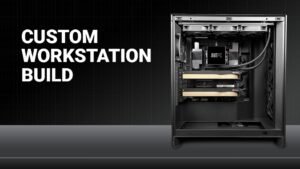
Buying a custom PC sounds straightforward until you start comparing configurations. One system has a powerful processor, another comes with a high-end graphics card, and a third offers more memory at a similar price. The specifications look impressive, but which one will actually perform better for your work?
This is where many PC buying decisions go wrong.
A custom PC should not be built around the most expensive components you can afford. It should be built around the applications you use, the complexity of your projects and the performance you expect from the system.
A PC designed for competitive gaming has different priorities from one used for 3D rendering. Similarly, a workstation running local AI models requires a different hardware approach from a computer primarily used for video editing.
Before selecting components, it helps to answer a few practical questions.
1. Do You Need a Powerful Graphics Card or a Faster Processor?
This is one of the most common questions when planning a custom PC build. The answer depends largely on your applications.
For gaming, the graphics card generally has the greatest influence on rendering performance, particularly at higher resolutions. The processor still matters, especially in simulation-heavy games, competitive gaming and workloads with high frame-rate requirements.
For video editing, the balance changes. Applications such as Adobe Premiere Pro and DaVinci Resolve can use both CPU and GPU resources, depending on the editing process, effects and codecs involved.
For 3D rendering, the choice depends on the rendering engine. GPU-based rendering benefits from powerful graphics hardware and sufficient VRAM, while CPU-based rendering places greater emphasis on processor cores and sustained performance.
The important question is not which component is faster in isolation. It is which component has the greatest influence on the applications you actually use.
2. What Happens When Your Projects Become Larger?
A PC that performs well today may struggle when project complexity increases.
Consider a content creator working with 4K footage. The initial editing workflow may be comfortable with a moderate amount of memory. However, multiple video tracks, high-resolution effects, colour grading and simultaneous applications can increase memory requirements considerably.
The same applies to 3D artists. A relatively simple scene may run comfortably on a mid-range workstation, but complex geometry, high-resolution textures, simulation caches and detailed environments can increase both memory and VRAM requirements.
This is why system planning should account for future workloads.
For demanding professional applications, consider:
-
Sufficient system memory for large projects and multitasking.
-
Adequate GPU memory for complex scenes, textures and datasets.
-
Fast NVMe storage for active projects and scratch files.
-
A motherboard with suitable memory, storage and expansion capacity.
-
Cooling designed to maintain performance during sustained workloads.
A balanced configuration is generally more useful than spending the entire budget on one premium component.
3. Can One Custom PC Handle Gaming, Streaming and Content Creation?
Yes, provided the hardware is selected around the combined workload.
A gaming and streaming PC, for example, needs to run a game while simultaneously handling video encoding, streaming software, browser applications and other background processes.
A suitable processor, capable graphics card, sufficient RAM and fast storage can make this combination practical.
If the same system will also be used for video editing, 3D design or software development, the configuration should reflect those additional requirements.
There is no universal gaming or creator configuration. The right system depends on the resolution, applications, project complexity and level of multitasking involved.
4. What Should You Look for When Building a PC for AI Development?
AI development introduces a different set of hardware considerations.
Unlike conventional desktop workloads, machine learning and deep learning applications can place substantial demands on GPU memory, compute capability and system memory.
For local model inference, the amount of available GPU memory can influence which models and quantisation levels can be accommodated. Training and fine-tuning introduce additional considerations, including model size, batch size, precision and dataset requirements.
For developers experimenting with local language models, computer vision or generative AI, the intended model size and framework should influence the hardware selection.
A conventional high-end gaming PC may be suitable for experimentation with smaller models, but larger models and more demanding workloads may require professional GPUs, higher memory capacity or multi-GPU infrastructure.
For these applications, it is worth evaluating workstation platforms and dedicated AI systems rather than assuming that a gaming-oriented configuration will meet every requirement.
5. Is More RAM Always Better?
Not necessarily. Memory requirements depend on the applications and the size of the projects being handled.
For general productivity and gaming, memory requirements are considerably different from those of professional editing, scientific computing or AI development.
A video editor handling multiple high-resolution timelines may benefit from greater memory capacity. A 3D artist working with complex scenes may need additional RAM alongside substantial GPU memory. Developers running virtual machines, containers and local databases may also benefit from higher memory capacity.
The objective should be to avoid memory becoming a bottleneck while leaving room for future expansion.
For professional workstations, also consider memory compatibility, supported capacity and whether ECC memory is appropriate for the workload.
6. Should You Build a PC Yourself or Choose a Professionally Configured System?
Building a PC yourself offers control over component selection. It also requires time, compatibility checks, assembly knowledge, BIOS configuration, operating system installation and troubleshooting.
A professionally configured custom PC offers a different advantage: the system can be planned, assembled and tested as a complete platform.
This becomes particularly relevant when selecting high-end processors, professional graphics cards, multiple storage drives or specialised cooling solutions.
Component compatibility is only one part of the process. Power delivery, thermal management, airflow, physical clearances and sustained system stability also matter.
For a workstation intended to support business-critical or production workloads, these considerations deserve as much attention as the component specifications.
7. What Should You Tell a PC Builder Before Requesting a Configuration?
You do not need to arrive with a complete list of components. In fact, explaining your workload is often more useful than specifying individual hardware.
Before requesting a custom PC configuration, be prepared to explain:
-
Which applications do you use regularly?
-
What type of projects do you work on?
-
Do you work with 1080p, 4K, 8K or higher-resolution media?
-
Do you need GPU rendering, AI development or simulation capabilities?
-
How much storage do your active projects require?
-
Will the system run continuously for extended periods?
-
Do you expect to upgrade the system in the next few years?
These answers help determine whether you need a gaming PC, a content creation workstation, an AI workstation or a more specialised professional system.
Building a Custom PC Around the Work, Not Just the Specifications
The best custom PC is not necessarily the one with the highest benchmark score or the most expensive graphics card. It is the one that handles your actual workload reliably, maintains performance under sustained use and provides room for future requirements.
At ANT PC, custom-built systems are designed around specific computing requirements, from gaming and content creation to AI development, 3D rendering and enterprise workloads.
With professionally selected hardware, configuration support and system-level engineering, the objective is to build a PC that serves a clear purpose rather than simply assembling a collection of high-end components.
Planning a custom PC? Share the applications you use, the projects you work on and your performance requirements with ANT PC. The right configuration starts with understanding the workload.